

NEWJust launched: AI Omni Video Agent is live — chat to generate videos, no technical parameters requiredTry Agent
LogoAI Omni Video
  • Create
  • Omni Video Agent
  • AI Image
  • AI Video
  • Pricing
Logo
Now fully available for all public community usersJanuary 2026

Flux 2 Klein Image Generator

Flux 2 Klein is the lighter, faster image generation and reference-based editing route on this platform. Ideal for quick concept iterations, lightweight experiments, and low-friction FLUX-style workflows that simplify cross-version iteration.

Loading...

Prompt:

1:1

4:3

3:4

16:9

9:16

Model:

Loading...

Scene Examples 1
How to use Flux 2 Klein

Use Flux 2 Klein here for faster image cycles and lightweight experiments

Start with a focused scene description, keep requests easy to compare across versions, and use references only when a small set of visual anchors add clear value.

01

Write a focused prompt for one visual idea

Name the subject, setting, lighting, and one core mood to keep the request easy to iterate on.

02

Add a small number of references when needed

Use up to three references if the concept needs to align closely with an existing product, palette, or scene direction.

03

Compare fast variations instead of overloading one prompt

Run sequential, targeted prompt changes to keep your workflow moving and quickly identify which direction the model responds to best.

Core strengths of Flux 2 Klein

Key strengths of Flux 2 Klein for speed-focused workflows

Flux 2 Klein is the lightweight FLUX route on this platform, ideal when speed, local-style iteration, and faster turnaround matter more than maximum polish.

Fast enough for local-style experimentation

Flux 2 Klein delivers the FLUX family’s look and editing behavior, optimized for fast iteration rather than premium polish.

Great for quick concept passes and repeated visual experiments.
Better suited for turnaround speed than final presentation polish.
Ideal as a faster entry point to the FLUX family.

Practical quick portrait and style draft tool

Flux 2 Klein works well when you need to align subject, outfit, and mood quickly, without the overhead of a heavier rendering workflow.

Perfect for portrait concepts and early campaign direction.
Enables fast variant generation when you need multiple options quickly.
Ideal when you’re still exploring visual direction.

Fast room and environment refreshes

Flux 2 Klein excels at interior refreshes, room concepts, and lightweight environment-focused requests where flexibility matters.

Useful for layout changes, room styling, and quick before/after direction work.
Workflow is easy to repeat across multiple directions.
Great for speed-driven concept reviews.

Fast-turnaround social creative tool

Klein works great for social launches, beverage promos, and quick ad variants when you want clean output without waiting for a heavier model.

Ideal for snackable campaign tests and seasonal social visuals.
Keeps generation time and cost aligned with exploration workflows.
Best when volume and speed matter more than final polish.
Best use cases

Ideal use cases for Flux 2 Klein

Flux 2 Klein shines when your goal is fast concept coverage, quick experiments, and easy cross-version comparison, rather than a single perfect final frame.

Quick product and social concepts

Great for quick product hero drafts, social visuals, or initial campaign passes when speed matters more than maximum polish.

Mood boards and style exploration

Ideal for testing palettes, materials, lighting directions, or scene moods before moving to a heavier model.

Lighter image-to-image iterations

Use a small number of references to keep concepts aligned with existing products or layouts, without needing a complex edit stack.

High-volume experimentation

Use Flux 2 Klein when value comes from quickly generating many plausible options, rather than over-polishing a single result.

Prompt patterns and examples

Effective Flux 2 Klein prompt patterns and examples

These examples are intentionally narrow and visual. Flux 2 Klein performs best when requests are clean enough to enable fast cross-version comparison.

Quick product concept

Leading prompt Alignment Benchmark Standards

Perfect for quick product variations where silhouette stays fixed, with the core visual question focused on color, material, or mood.
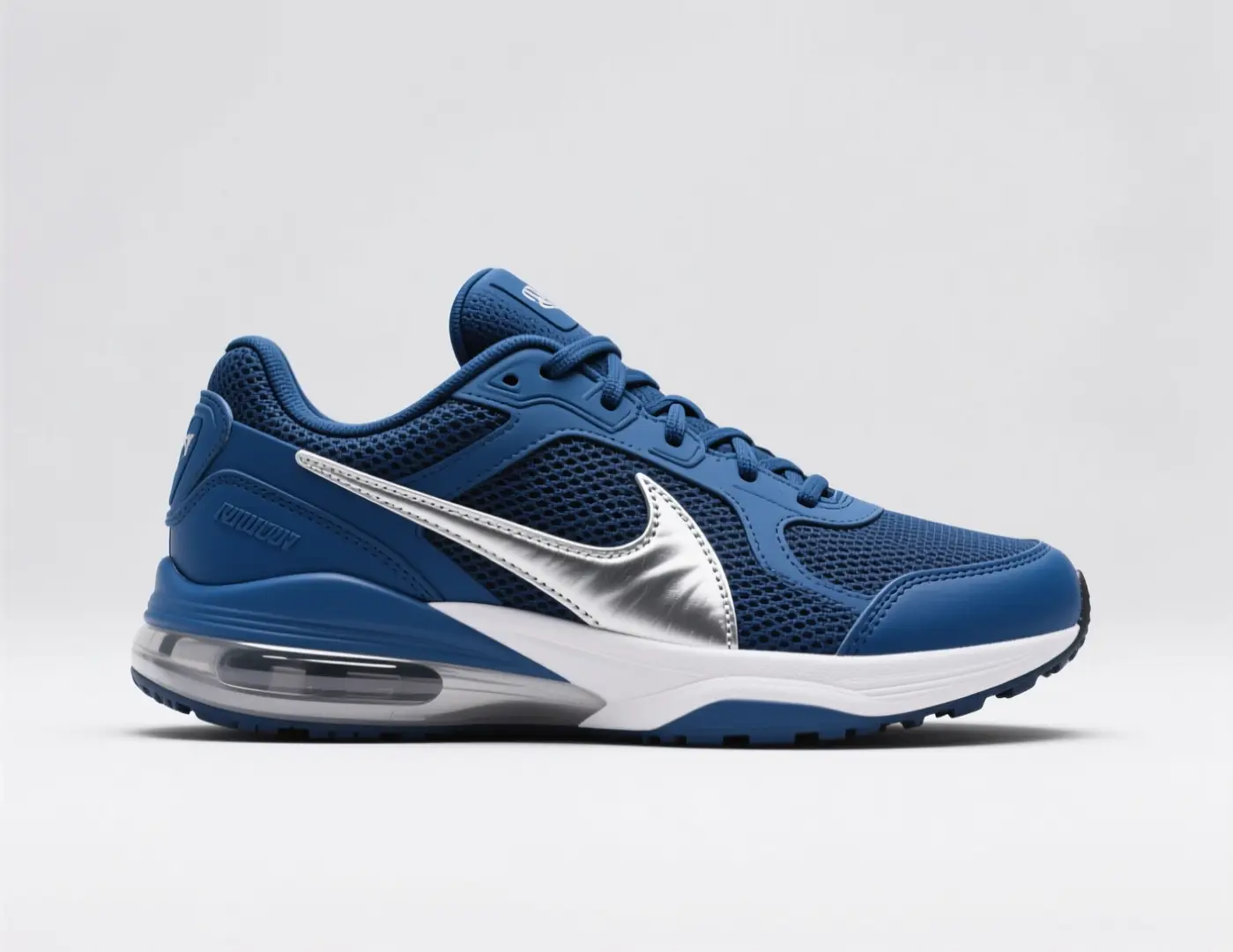
A fast sneaker colorway concept with one clear silhouette, fresh materials, and a campaign-style backdrop.

Fast sneaker colorway concept

Proven industry-standard Prompt best-practice generation workflow guide

[hero product] + [camera angle] + [colorway] + [materials] + [campaign mood]

Dive into Complete prompt Documentation and Technical SpecificationsShow Full Breakdown

Detailed prompt Breakdown and Overview

Create a fast sneaker concept: one hero side profile on a clean backdrop, cobalt-silver colorway, matte mesh panels, brushed metallic overlays, and a light sports campaign mood. Keep the composition simple, product-focused, for a footwear review board.

Core Components That Power This Prompt’s High-quality Outputs

This prompt focuses on one product, angle, and material question, making it easy to compare multiple versions quickly.

Target Final Generated Outcome

A fast product variation concept for comparing color and material directions.

Expert Insider Tips for Creative Industry Professionals

  • Keep the silhouette fixed when the core question is color or material.
  • Avoid extra props if the product itself should carry the image.
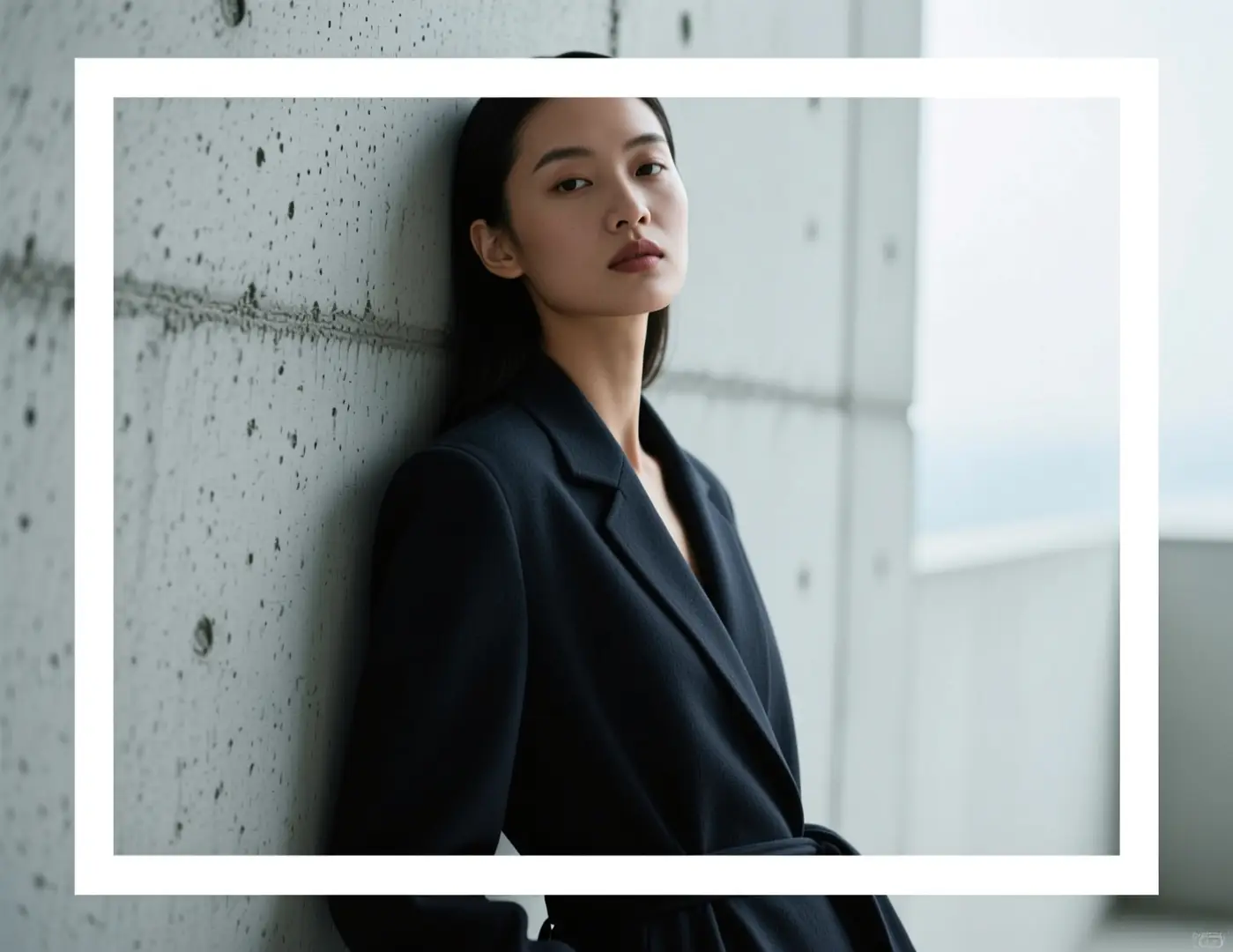
Portrait concept

Leading prompt Alignment Benchmark Standards

Great for quick portrait direction tests before moving to a heavier render workflow.

An editorial portrait concept with a direct pose, simple setting, and controlled lighting mood.

Editorial portrait concept

Proven industry-standard Prompt best-practice generation workflow guide

[subject] + [pose] + [location] + [lighting] + [editorial mood]

Dive into Complete prompt Documentation and Technical SpecificationsShow Full Breakdown

Detailed prompt Breakdown and Overview

Editorial portrait concept: model leaning against brushed concrete, soft overcast light, calm direct pose, deep charcoal wardrobe, muted skin tones, modern magazine mood. Keep the frame clean and graphic, not overly cinematic.

Core Components That Power This Prompt’s High-quality Outputs

Flux 2 Klein performs best when the prompt includes one subject, one lighting setup, and one clear editorial direction.

Target Final Generated Outcome

A quick portrait direction test for editorial mood or campaign planning.

Expert Insider Tips for Creative Industry Professionals

  • Stick to one lighting note, not multiple competing setups.
  • Keep the environment simple when testing pose and wardrobe mood.
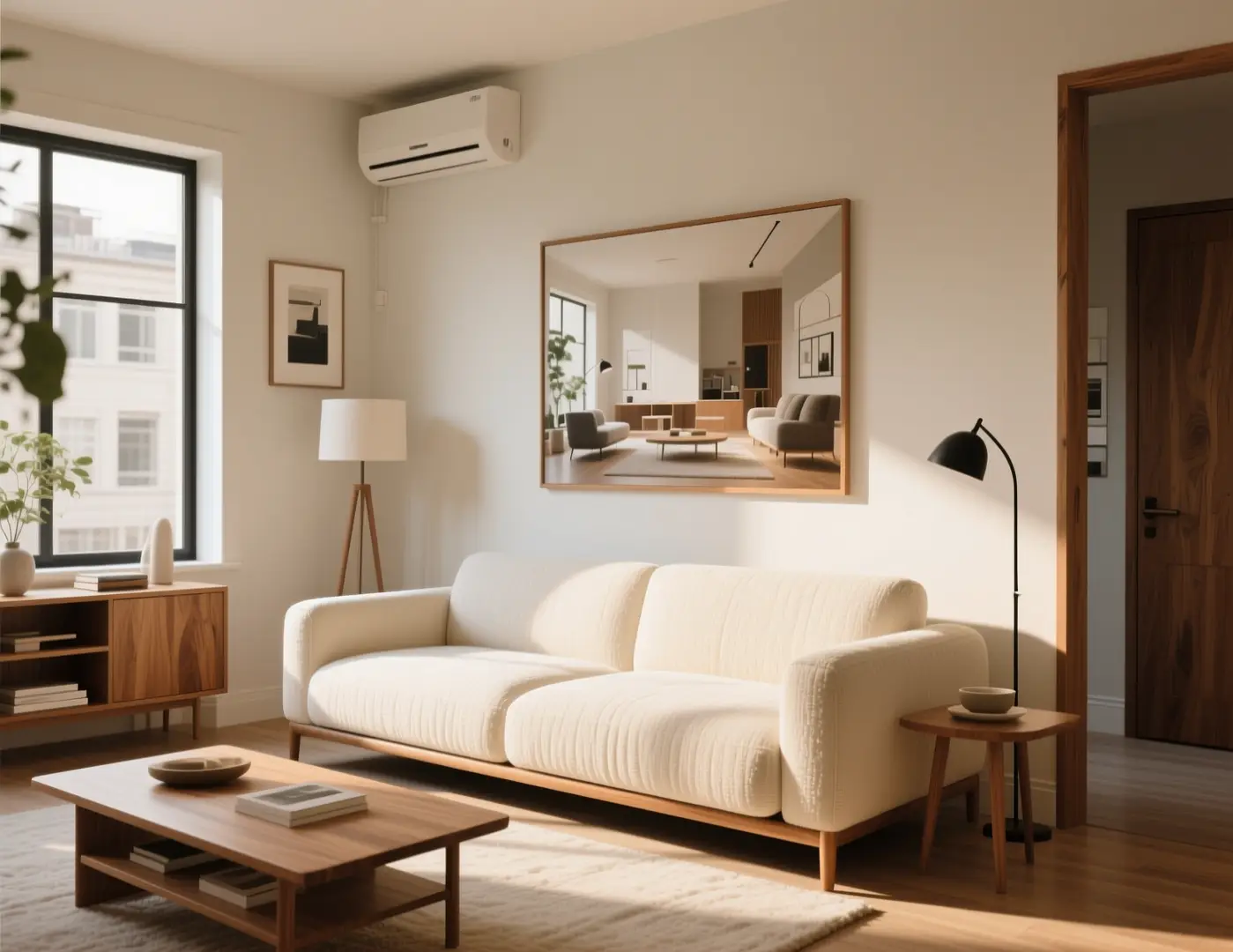
Interior idea

Leading prompt Alignment Benchmark Standards

Perfect for simple room-direction changes to quickly compare new styling options.

A quick room refresh concept with updated materials and a cleaner premium-home mood.

Quick room refresh concept

Proven industry-standard Prompt best-practice generation workflow guide

[room type] + [what changes] + [materials] + [light] + [design mood]

Dive into Complete prompt Documentation and Technical SpecificationsShow Full Breakdown

Detailed prompt Breakdown and Overview

Quick room refresh concept for a small studio living room: warm oak, textured cream fabric, low-profile sofa, soft afternoon light. Keep the composition realistic and easy to compare, for a fast interior direction board, not a final visualization.

Core Components That Power This Prompt’s High-quality Outputs

This focused request keeps room type and mood simple, helping the model deliver a usable concept fast.

Target Final Generated Outcome

A quick room-style concept for early design exploration.

Expert Insider Tips for Creative Industry Professionals

  • Ask for a direction board mood, not a full architectural redesign.
  • Name core materials to avoid generic luxury styling.
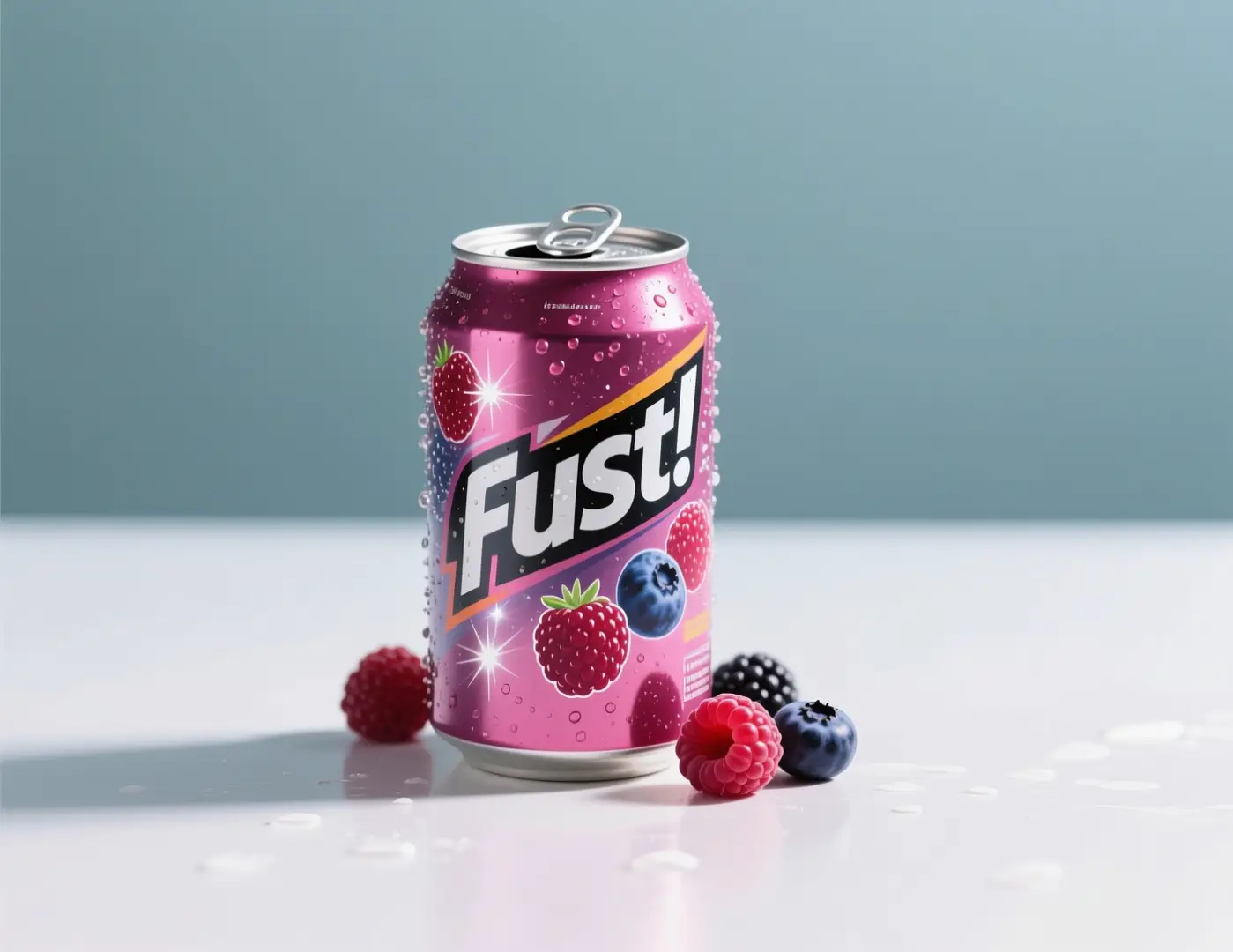
Social campaign draft

Leading prompt Alignment Benchmark Standards

Perfect for social-first launch drafts when you need a strong product image quickly.

A fast beverage launch visual with clear product focus and bright campaign color accents.

Fast beverage launch visual

Proven industry-standard Prompt best-practice generation workflow guide

[drink product] + [hero setup] + [color accents] + [light quality] + [social usage]

Dive into Complete prompt Documentation and Technical SpecificationsShow Full Breakdown

Detailed prompt Breakdown and Overview

Fast social campaign draft for a sparkling berry drink: one chilled can on a clean surface, bright berry accents, cool highlights, simple centered composition. Leave clean space for short copy, ready for social launch review.

Core Components That Power This Prompt’s High-quality Outputs

This prompt focuses tightly on product, palette, and usage, ideal for quick iteration over large multi-scene requests.

Target Final Generated Outcome

A quick social campaign concept that can be reviewed and iterated fast.

Expert Insider Tips for Creative Industry Professionals

  • Note intended placement to ensure the crop feels deliberate.
  • Leave space for copy if the image will be used as a social draft.
When to choose Flux 2 Klein

Choose Flux 2 Klein when faster iteration matters more than polished final output

Flux 2 Klein is the better choice when you need to quickly compare directions, run lightweight experiments, or cover more visual ground without waiting for a heavier model.

Choose Flux 2 Klein when you need speed, volume, and easier experimentation

Great for concept-heavy workflows, early style exploration, quick product directions, and tasks where value comes from multiple versions, not one slow, polished render.

Use another model when polish, structured text, or a different workflow matters more

Opt for Flux 2 Pro for higher polish, GPT-4o when readable text is critical, Nano Banana Flash for another fast hosted workflow, and Z-Image if open deployment is a priority.

Community proof

Community walkthroughs and reviews for Flux 2 Klein

These videos show how creators use Flux 2 Klein in ComfyUI, low-VRAM, and fast local workflows, serving as outside validation for its speed-focused role here.

Curated AI Video Generation Showcase

Open-source ecosystem

Related open-source projects for Flux 2 Klein

Flux 2 Klein is best understood through the public FLUX.2 family release and repository, the clearest outside reference for its fit in local and lightweight workflows.

GitHub Publicly Available Source Code Repository for the Official Open-Source Project 01

black-forest-labs / flux2

Official family repository

Official FLUX.2 repository from Black Forest Labs, the clearest open family reference for how Flux 2 Klein fits into lightweight local and workflow-driven use.

1,105 Total number of GitHub stars accrued across the project repository
Apache-2.0
Visit the Open-Source Project Hub
FAQs

FAQ

About AI Omni Video and our platform

What is Flux 2 Klein?

Flux 2 Klein is the streamlined FLUX 2 route here, built for faster iteration, lightweight experiments, and tighter creative loops than full FLUX 2 variants.

What is Flux 2 Klein best for?

Flux 2 Klein works great for quick concept checks, social draft visuals, lightweight product ideas, mood boards, and fast experimentation when you want FLUX-style results without waiting for a heavier model.

Does Flux 2 Klein support image input here?

Yes. Flux 2 Klein supports up to three reference images here, ideal for lightweight image-to-image tests, quick product edits, and concept work that relies on a small set of visual anchors.

Which aspect ratios does Flux 2 Klein support here?

Flux 2 Klein supports 1:1, 4:3, 3:4, 16:9, and 9:16 on this page. No separate resolution toggle is available for the model here.

How do I write better Flux 2 Klein prompts?

Focus on clear, actionable prompts. Name the subject, scene, lighting, and one core mood. Flux 2 Klein performs best when the prompt is narrow enough to support quick, consistent variations instead of overloaded requests.

When should I use Flux 2 Klein instead of Flux 2 or Flux 2 Pro?

Pick Flux 2 Klein when speed, throughput, and low-friction testing are your top priorities. Use Flux 2 for a balanced family option, and Flux 2 Pro for a more polished final output.

Is Flux 2 Klein useful for local or open experimentation?

Yes. FLUX.2 [klein] is framed as the family’s lighter, faster route, making it ideal for experimentation-driven workflows, even when using this page as a hosted entry point.

Can I use Flux 2 Klein images commercially?

For production use, review Flux 2 Klein outputs just like any other model’s before publishing. Commercial suitability depends on your workflow, review process, and platform terms for this page.

Still have questions? We're here to help

Join Discord
Related models

Compare Flux 2 Klein with other image models on this platform

If Flux 2 Klein isn’t the right fit, compare these model pages for higher polish, alternative fast hosted workflows, better text handling, or open deployment tradeoffs.

Flux 2 Image Generator

Try Flux 2 for a more balanced FLUX family route, rather than the lightweight Klein variant.

Explore Curated Associated AI Models

Flux 2 Pro Image Generator

Compare Flux 2 Pro for a more polished final result before export.

Explore Curated Associated AI Models

Nano Banana Flash Image Generator

Try Nano Banana Flash for another fast hosted workflow for quick edits and marketing drafts.

Explore Curated Associated AI Models

Z-Image AI Image Generator

Compare Z-Image when open weights, local deployment, and downstream customization are priorities.

Explore Curated Associated AI Models

Try Flux 2 Klein here

Open the generator, keep prompts focused, and use Flux 2 Klein for lightweight, fast creative cycles.

Resources
  • Blog
  • Create
  • Scenes
  • Portfolio
  • Prompts
  • Image to Prompt
  • Batch Image to Prompt
Company & Legal
  • About
  • Contact
  • Privacy Policy
  • Terms of Service
  • Refund Policy
Image Models
  • Z-Image
  • GPT-4o
  • Flux 2
  • Flux 2 Pro
  • Flux 2 Klein
  • Qwen Image 2
  • Seedream 4.0
  • Seedream 4.5
  • Seedream 5.0
  • Grok Imagine
  • Gemini 3 Pro Image
  • Nano Banana Flash
  • Nano Banana 2
Video Models
  • Google Veo 3.1
  • Google Veo 3.1 Lite
  • Google Veo 3.1 Pro
  • Seedance 1.5 Pro
  • Seedance Fast
  • Seedance Quality
  • Seedance 2.0
  • Hailuo 02
  • Kling v2.6
  • Kling v2.5 Turbo
  • Kling v2.1
  • Kling v2.1 Master
  • Kling O1
  • Kling v3.0
  • Kling v3.0 Pro
LogoAI Omni Video

AI Omni Video | Fast, professional AI video creation

TwitterX (Twitter)DiscordEmail

AI Omni Video is an independent AI video generation platform. All third-party trademarks belong to their respective owners.

© 2026 AI Omni Video All Rights Reserved. DREAMEGA INFORMATION TECHNOLOGY LLC

[email protected]